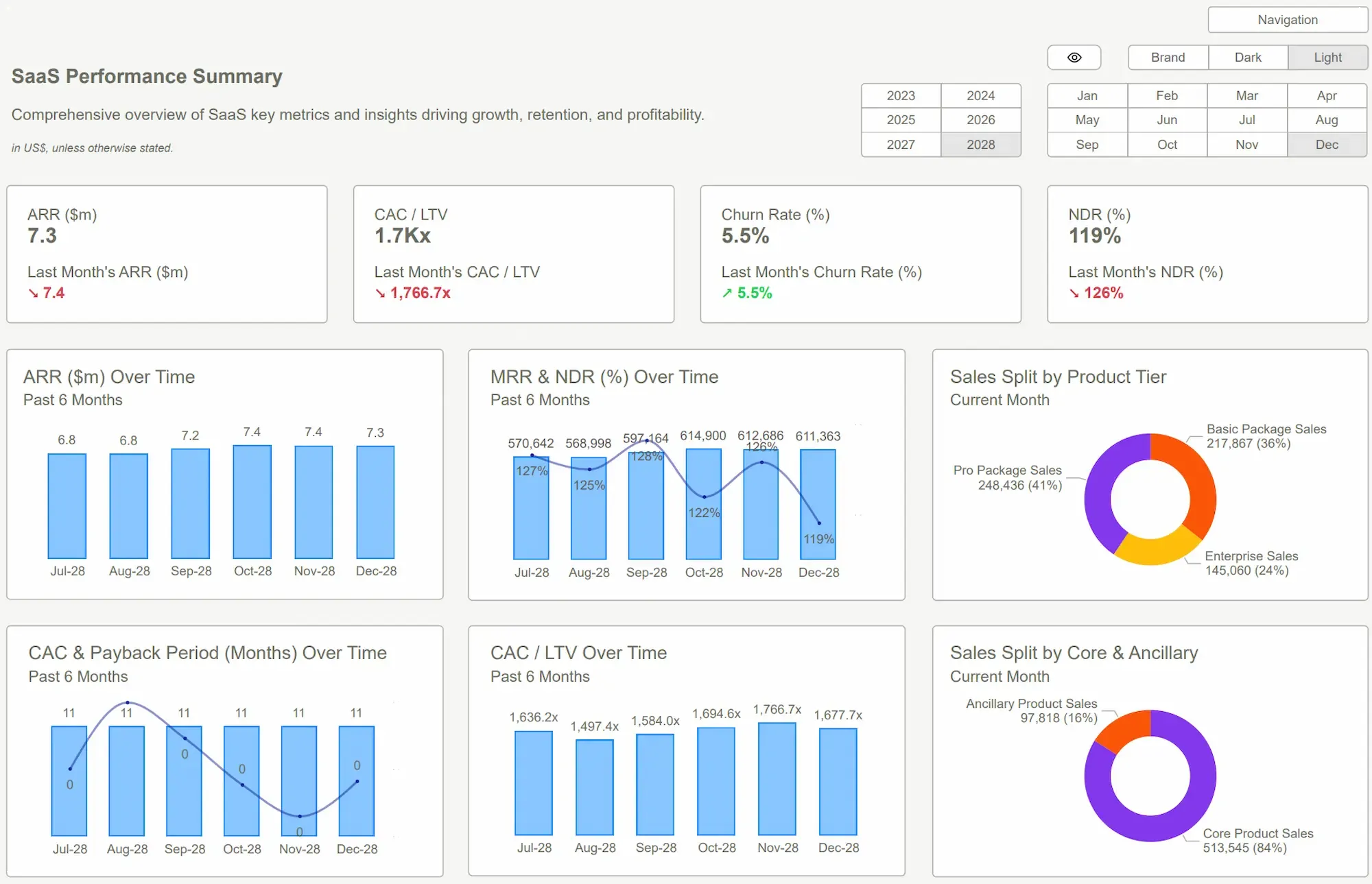
In a high-stakes board meeting, time is the most valuable commodity in the room. Directors andstakeholders do not congregate to watch a presenter navigate through a maze offilters or explain away a cluttered visual. They gather to make decisions.
A board meeting movesfast, and leadership expects clarity within seconds. When a dashboard fails todeliver that clarity, attention drops, and the momentum of the meeting stalls.Many internal reporting teams find themselves stuck using board report Power BI templates that may have been functional in the past but now feeldisconnected from the speed and expectations of modern business.
The Issue: Architecture Over Data
The problem rarely stemsfrom a lack of data. In fact, most organizations have more data than they knowhow to manage. The problem lies in architecture, specifically, how the data isstructured, visualized, and interpreted. If your reporting feels heavy,repetitive, or requires a manual to understand, it is a signal that yourreporting framework needs a strategic overhaul.
The Trap of Rigid Structures
One of the most commonreasons a report feels dated is the reliance on a legacy format that simplyrepeats the same high-level metrics in the same boxes month after month. Whileconsistency is a virtue in data integrity, it can be a vice in communication.
Modern reporting requirescontextual flexibility. This doesn't mean changing the data sources, but ratherchanging the emphasis. Modern board report Power BI templates allow the mosturgent signals, whether they are growth opportunities or emerging threats, totake center stage.
Moving Beyond Raw Numbers to Contextual Narrative
Numbers alone do not driveaction; they only state a fact. Context, however, provides the "why" ehind the "what."
A dashboard that shows a10% dip in quarterly revenue without an immediate, visible explanation createsan information vacuum. In that vacuum, stakeholders will create their ownnarratives, often leading to unnecessary concern or misaligned solutions. Whenleaders must manually interpret data or search for the cause of a trend,decision-making slows down and risk increases.
Sophisticated board reportPower BI templates must bridge the gap between performance and explanation. Itshould ideally answer three essential questions on a single screen:
- What changed? (The Metric)
- Why did it change? (The Driver)
- What needs attention? (The Action)
When these answers areintegrated directly into the visual flow, through smart tooltips, integratedcommentary, or clear variance analysis, the board discussion shifts from"What are we looking at?" to "What should we do aboutthis?"
The Cost of Visual Overload
There is a commonmisconception in data reporting that more information equals more value. In thecontext of executive reporting, the opposite is true. Every additional chart,border, and color on a page adds to the cognitive load of the viewer. When a dashboardis overcrowded, the brain has to work harder to filter out the noise to findthe signal.
Effective dashboardsprioritize a small number of high-impact visuals. Each element on the page mustearn its keep. If a visual doesn't directly contribute to a strategic decision,it belongs in a supplemental drill-down report, not the executive summary.
Common design flaws thatmake dashboards feel dated include:
● Excessive Visual Density: Crammingtoo many charts onto one page.
● Lack of Hierarchy: Giving a minorexpense category the same visual weight as total net profit.
● Inconsistent Color Theory: Using arainbow of colors with no semantic meaning, rather than a limited palette thathighlights exceptions.
● Poor Spacing: A lack of white spacemakes it difficult for the eye to process individual data points.
Why Technical Performance isa Trust Factor?
Performance is anoften-overlooked aspect of reporting freshness. In a boardroom, a three-seconddelay can feel like an eternity. Slow performance doesn't just disrupt theflow; it subtly erodes trust in the data. High-quality board report Power BItemplates ensure the data model is lean and the visuals are optimized fortrain-of-thought analysis.
When a dashboard issluggish, the unspoken assumption is that the data is messy, the model isunoptimized, or the technology is lagging. Performance issues typically stemfrom poor data modeling, excessive use of complex DAX measures, or simplyhaving too many visuals on a single page.
High-quality templatesensure that the data model is lean and the visuals are optimized for speed.Fast response time allows for train-of-thought analysis, where a leader can aska question, a filter can be applied, and the answer appears instantly. Thisresponsiveness supports a culture of data-driven confidence.
Redefining Strategy with a Power BI Kit Framework
To move away from thelimitations of legacy reporting, many organizations are turning to professionaldesign frameworks. Power BI Kit provides a bridge between raw data engineeringand high-end executive communication.
The primary advantage of using a dedicated system like Power BI Kit templates is the elimination of the blank canvas problem. Instead of spending dozens of hours debating where abutton should go or which shade of blue to use, teams can deploy a proven UI/UX framework designed specifically for the C-suite.
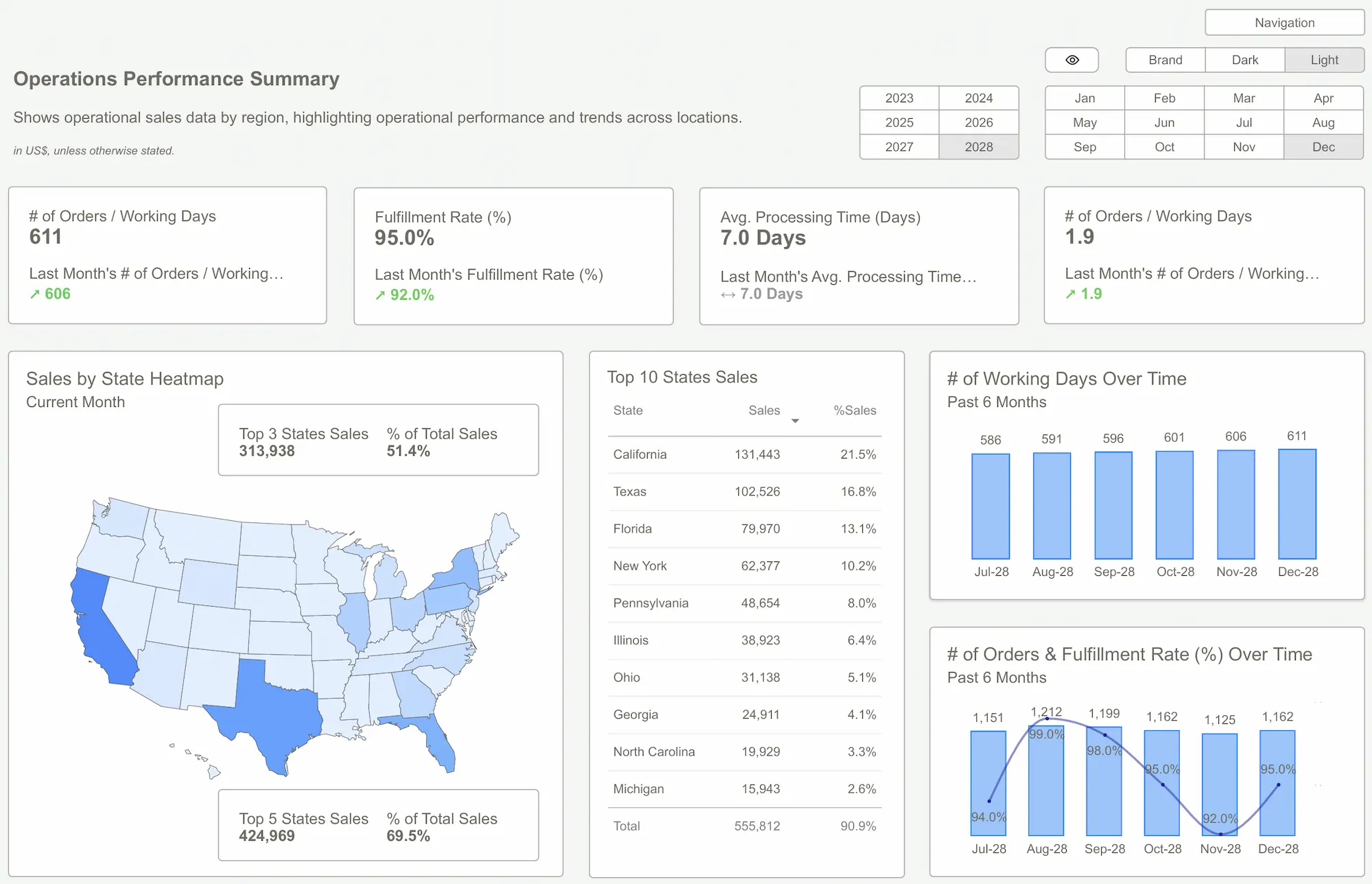
By using Power BI Kit templates, teams eliminate the blank canvas problem. These board report Power BI templates are built with a mobile-first, executive-always mindset, emphasizing a logical flow from high-level summaries to intuitive drill-downs.
The Real Business Impact Goes Beyond Visual Design
Choosing professionalPower BI templates is not just a technical upgrade. It shapes how anorganization communicates, decides, and grows. The impact extends far beyondcleaner dashboards and better layouts, influencing how teams interact with dataevery day.
A well-designed reportingsystem reflects credibility and builds trust across stakeholders. It alsoimproves clarity, reduces errors, and saves valuable time that can beredirected toward strategic work.
Key business impacts include:
● Professional presentation builds trust:Clean, modern dashboards signal that the organization values accuracy andstructured decision-making. This strengthens confidence among leadership,clients, and investors.
● Clarity drives confident decisions:Well-structured visuals present insights clearly, reducing the need for manualinterpretation. Decision-makers can quickly understand performance and act withcertainty.
● Management becomes more proactive:Easy access to relevant data allows leaders to identify trends early. Thissupports planning instead of reactive problem-solving.
● Reduced risk of reporting errors:Structured templates include consistent logic and validation layers. Thislowers the chances of misreporting and improves overall data reliability.
● Time savings across teams: Reusabletemplates eliminate repetitive work. Teams spend less time building reports andmore time analyzing outcomes and planning next steps.
● Improved visibility across operations:From executive summaries to department-level insights, consistent reportingensures alignment. Everyone works from the same accurate and structured dataview.
The overall return is not limited to efficiency. A modern board report Power BI templates strengthen decision-making, improve operational clarity, and support a more data-driven business culture.
Conclusion
A board report should bemore than a monthly obligation; it should be a strategic tool that catalyzesaction. If your current reporting suite feels like a relic of the past, thesolution isn't necessarily more data; it is better communication.
By focusing on visual hierarchy, contextual narrative, and technical performance, you can transform your Power BI environment from a simple data display into a decision-support engine. Transitioning to a modern framework ensures that your insights are heard, your risks are understood, and your business stays agile.
Exploreprofessional-grade board report Power BI templates and performance-optimizedframeworks at Power BI Kit. Transform your data into a compelling narrative andlead your next board meeting with confidence.
 Get Started >
Subscribe to our newsletter
Stay ahead with the latest insights, tips, and trends in PowerBI and data visualization.
Join the network that is unlocking the full potential of their data - one dashboard at a time.
Related posts
Explore more insights and tips with these related posts curated just for you.

What Makes a Good Power BI Dashboard? Design Principles and Examples

Power BI Dashboard Examples That Save Time, Impress Leadership, and Actually Work