Power BI Dashboard Examples are everywhere—but not all dashboards are created equal. If you're a decision-maker overseeing reporting or BI tools, you already know the difference: one dashboard informs, the other confuses. One earns trust in meetings, the other sparks questions nobody can answer.
The truth? DIY dashboards are killing your team's time and credibility. The learning curve is steep, the results inconsistent, and the end product often misses the mark. Meanwhile, professional Power BI templates offer speed, polish, and trustworthiness—right out of the box.
Let’s explore what separates weak dashboards from the ones that truly drive business results.
The Hidden Costs of DIY Power BI Dashboards
Most dashboards fail quietly. They don’t get used. They confuse stakeholders. They raise more questions than they answer.
Here’s what your BI team might not be saying out loud:
- Time Sink: DIY dashboards often burn dozens of hours in tweaking visuals, debugging DAX formulas, and redoing layout work that’s already been solved by pros.
- Design Blind Spots: Analysts aren’t designers. Poor visual hierarchy, clashing color schemes, and overcomplicated visuals undermine the message.
- Broken Trust: Small data model errors or wrong calculations are deadly. One mistake in a stakeholder meeting, and confidence in the dashboard collapses.
- Lack of Consistency: When every report looks different, users get confused and adoption suffers. A fragmented experience is a fast path to dashboard fatigue.
Ask yourself: How many of your dashboards actually get used the way they’re intended?
If you're managing a team producing dashboards by hand, you're funding an expensive experiment—with high opportunity cost.
 Power BI Dashboard Examples
What Professional Power BI Dashboard Examples Deliver
Contrast that with dashboards built from proven, professionally designed Power BI templates. They’re not just “prettier”—they’re architected for performance, clarity, and trust.
Here’s what sets them apart:
- Design Excellence: Every visual is intentional. Layouts are clean. Key insights pop, and non-essential data is tucked away.
- Technical Precision: Templates come with optimized data models and pre-written DAX that avoids common pitfalls.
- Ease of Use: Filters work intuitively. Drill-downs reveal deeper insight—not confusion.
- Speed to Launch: Instead of weeks of building and revising, you can deliver polished dashboards in hours—not days.
Whether it's finance, sales, marketing, or operations, these dashboards aren’t built to “look good.” They’re built to perform under pressure—executive meetings, board reviews, quarterly planning.
And they’re easy to customize. Add your data, apply your brand colors, and share. Done.
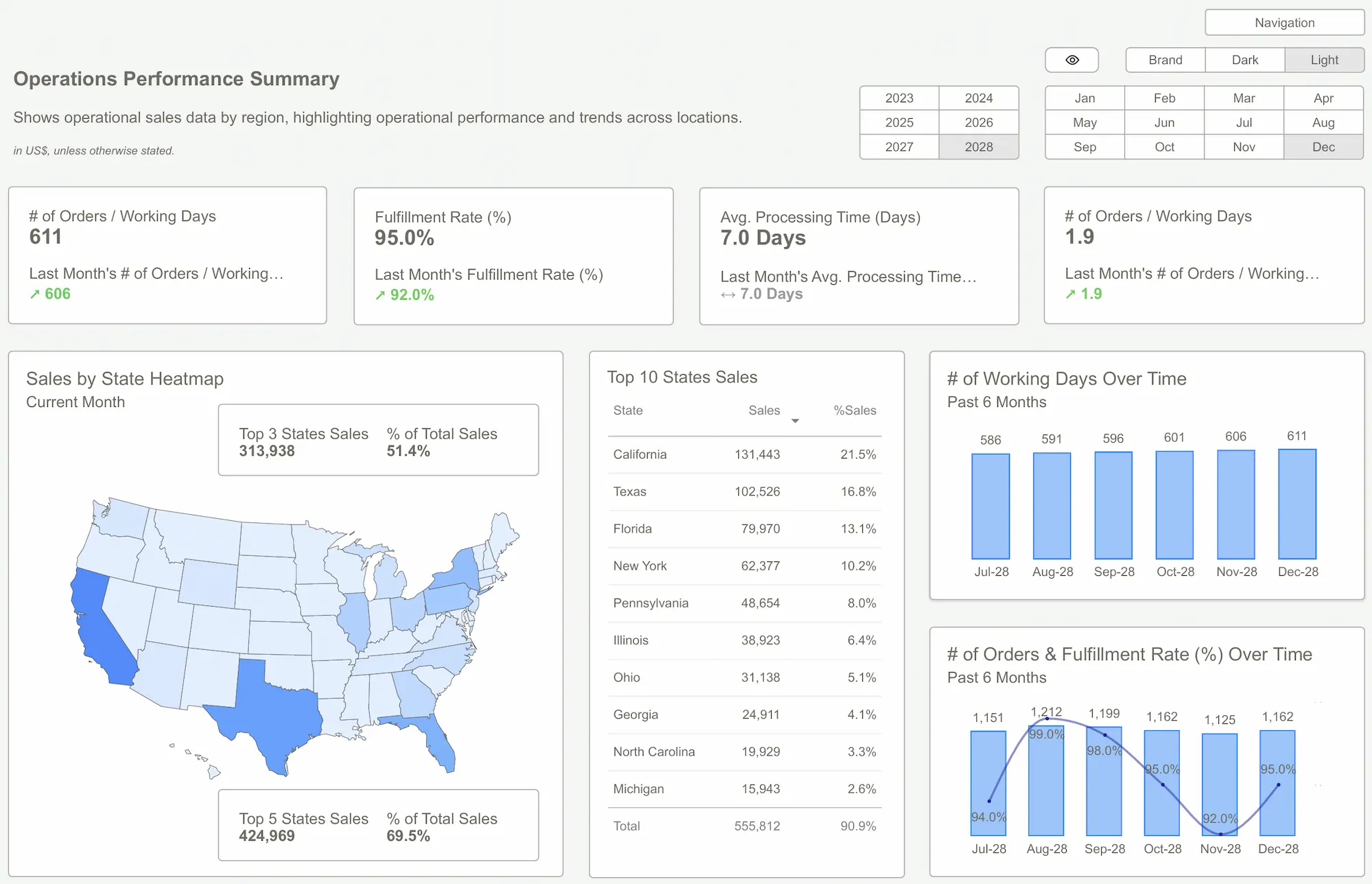
 10 Real-World Power BI Dashboard Examples (With Screenshots)
Smart Teams Don’t Start from Scratch—Here’s What They Use Instead
Savvy organizations have figured it out. Instead of burning hours building dashboards from scratch, they start with battle-tested Power BI Dashboard Examples designed by experts. Here’s why:
- Templates reflect industry best practices: Sales dashboards show quota vs. actual. Finance dashboards show real P&L logic. It’s not guesswork.
- They scale: When you standardize dashboards across teams, everyone speaks the same data language.
- They inspire confidence: Clean design and reliable logic turn data presentations into moments of clarity—not chaos.
Departments using templates from Power BI Kit have deployed dashboards for:
- Finance: Income statements, cash flow, budget vs. actual
- Sales: Win rates, pipeline, rep performance
- Marketing: CPL, ROAS, conversion trends
- HR & Ops: Headcount, turnover, process efficiency
- SaaS & eComm: Churn, LTV, cart abandonment
Templates don’t just save time—they improve trust, visibility, and strategic focus across the board.
 Data Analysis Expressions (DAX) WikipediaPower BI Templates
It’s time to stop treating dashboard development like a craft project. When quality matters - and it always does - the DIY approach is a liability. You're not saving money. You're delaying insight, inviting risk, and exhausting your team.
Power BI Dashboard Examples built from templates aren’t a shortcut - they’re a smart strategy. They free your team to focus on analysis, not construction. They get adopted. They drive decisions. And they earn trust.
Don’t waste another quarter building dashboards nobody uses.
Explore Power BI Kit Templates → Pricing & Buy NowGet Started >
Subscribe to our newsletter
Stay ahead with the latest insights, tips, and trends in PowerBI and data visualization.
Join the network that is unlocking the full potential of their data - one dashboard at a time.
Related posts
Explore more insights and tips with these related posts curated just for you.

What Makes a Good Power BI Dashboard? Design Principles and Examples
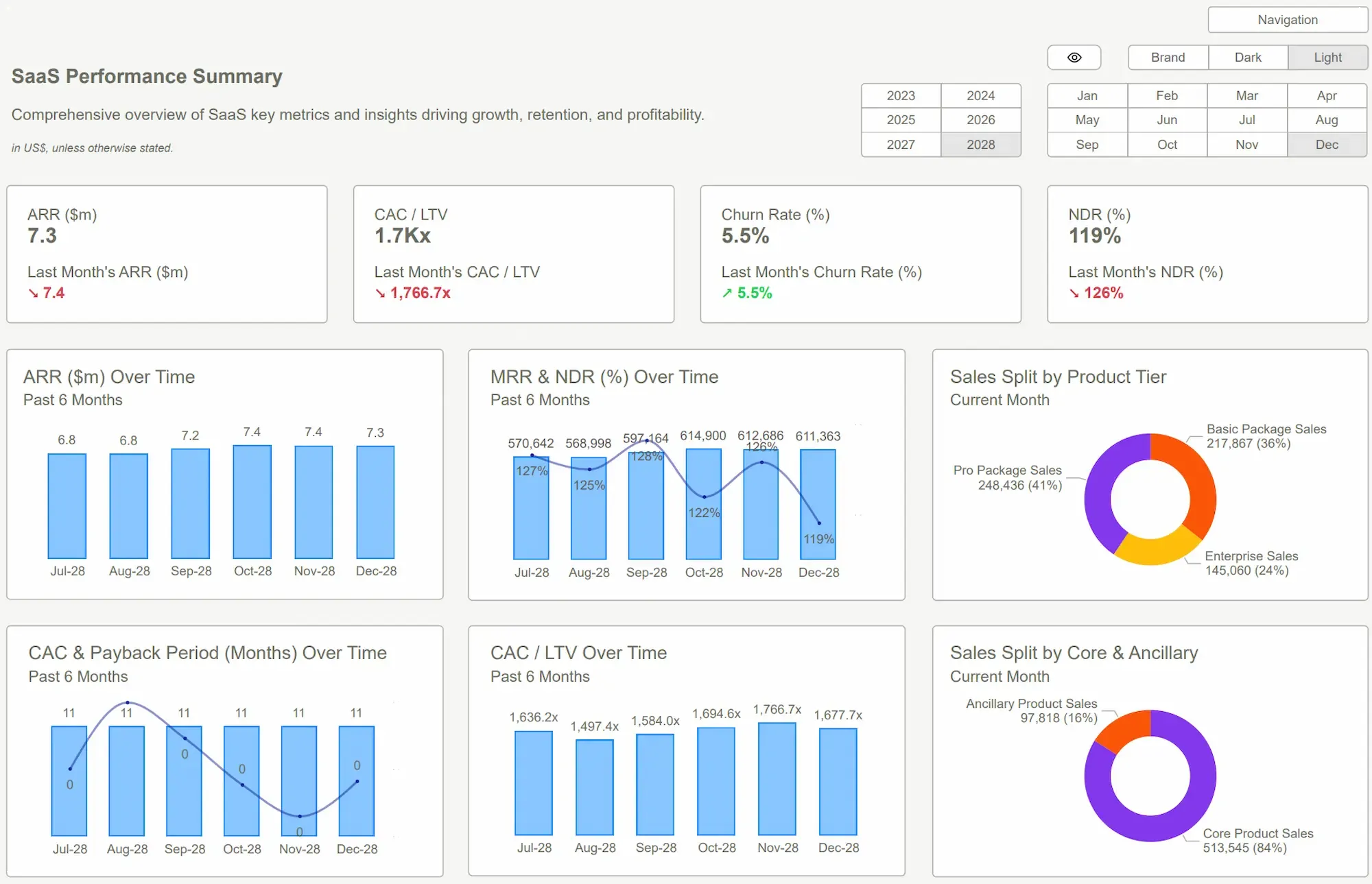
Visualizing Retention, Churn, and Survivorship in SaaS: Power BI Dashboard Examples That Tell the Full Story